



Project
Kanban Board
Frontend Framework
Frontend Library (React)
Serverless backend
UI Component Library
Authentication
Realtime Changes
Storage
Drag and Drop
Serverless Functions
Duration
5 weeks
Medium
Introduction
Embrace modern web development by building a powerful Kanban board app with features like authentication, drag-and-drop, real-time updates, and user invitation functionality. This app is powered by a modern front-end framework and a serverless database.
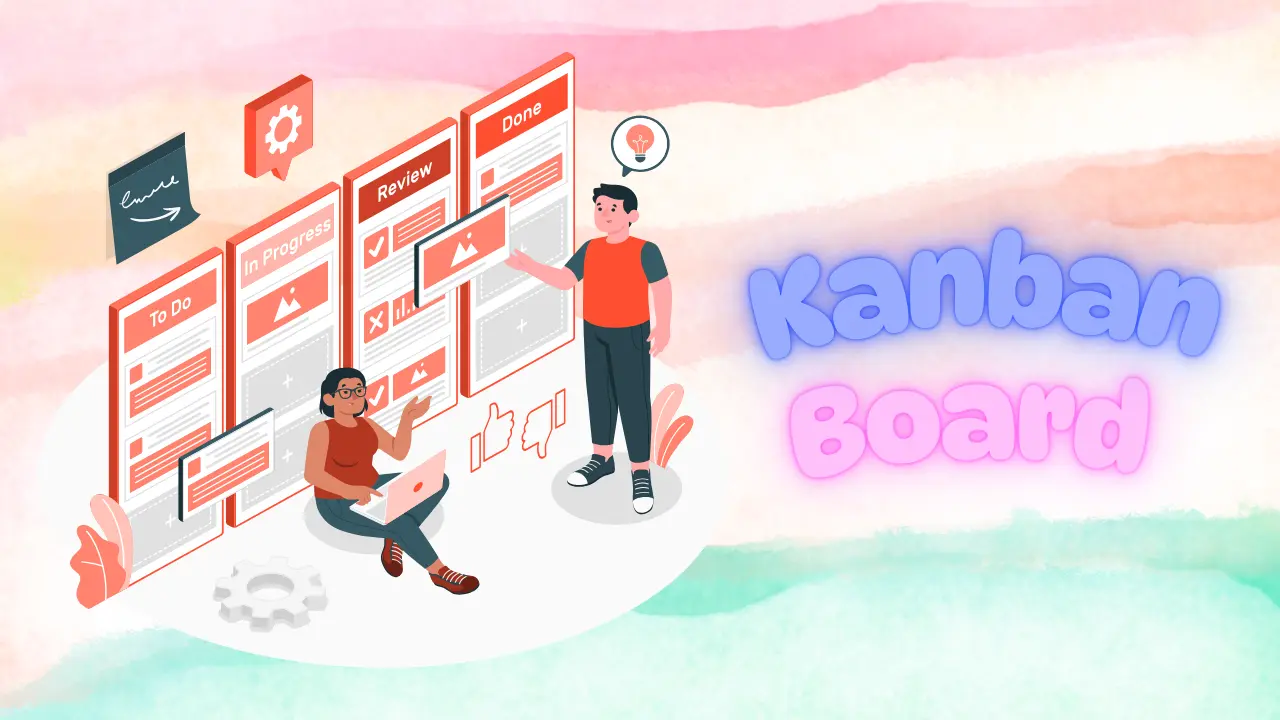
A Kanban board is a simple yet powerful tool that helps teams visualize their work, prioritize tasks, and track progress, leading to more efficient and effective workflow management. Kanban boards are often used in Agile methodologies such as Scrum and Lean to manage and track work progress. Each column represents a stage of the project or process, such as "To Do," "In Progress," "Testing," and "Done." Cards are moved from one column to the next as work progresses, giving team members a clear view of each task's status and the project's overall progress.
Prerequisites
- Practical knowledge of HTML & CSS and Javascript.
- Knowledge about Frontend Frameworks.
- This is a medium-difficulty project. It is recommended that the Movies App project be built before this.
- Ability to work with a serverless backend such as Firebase, Supabase, AWS Amplify, etc.
Project Requirements
Please refer to the above video for a visual walkthrough of the project requirements.
Authentication Page
- Complete the UI for the Auth page.
- Hook login/signup form with serverless backend.
- Send Email verification mail.
- Add Oauth login.
- Implement forgot password.
- Add route protection to protect non-public routes.
Home Page
- Add a navbar with a user dropdown menu and a light/dark mode button.
- Implement CRUD functionality for the Board in Your Workspaces section.
Setting Page
- Add update name feature.
- Add update profile photo feature.
- Add reset password feature.
Board Page Part I
- Add a Titlebar on the board page with the board title, back button on the left, and members button on the right.
- Use separate collections/tables for each board, list, and card.
- List CRUD functionality.
- Card CRUD functionality.
Board Page Part II
- Implement card detail modal using rich text editor Editor.js.
- Add drag and drop functionality.
Invite Members Feature
- Implement the invite user feature.
- Show member list.
- Add the real-time update feature. This will help the collaborator get updates immediately.
- Show Guest Workspaces on the home page.
General
- Use a component Library like Material UI or Mantine UI.
- Add security rules to protect the serverless database from unauthorized access.
- Make sure you validate all the forms before submitting them.
- Always keep responsiveness in mind.
- Show a skeleton loader where needed.
- Add notification where needed.
- Handle errors and show necessary notification messages.
Roadmap
Below is the weekly breakdown of how to approach the project. This is how an actual developer would approach and build the project.
Start the project by adding an authentication page.
Tasks
- Complete the UI for the Auth page.
- Hook login/signup form with serverless backend.
- Send Email verification mail.
- Add Oauth login.
- Implement forgot password.
- Add route protection to protect non-public routes.
This week complete the home page.
Tasks
- Add a navbar with a user dropdown menu and a light/dark mode button.
- Implement CRUD functionality for the Board in Your Workspaces section.
Add the Setting Page and complete the first half of the Board Page.
Tasks
- Add a Titlebar on the board page with the board title, back button on the left, and members button on the right.
- Use separate collections/tables for each board, list, and card.
- List CRUD functionality.
- Card CRUD functionality.
Complete the second half of the Board Page.
Tasks
- Implement card detail modal using rich text editor Editor.js.
- Add drag and drop functionality.
Add the feature to invite new members to the board.
Tasks
- Implement the invite user feature.
- Show member list.
- Add the real-time update feature. This will help the collaborator get updates immediately.
- Show Guest Workspaces on the home page.
Helpful Resources
- Use Dicebear to assign avatars for new users.
- Use Brevo to send transactional emails to invite members to the board.
- Use Editor.js as a rich text editor.
- Stackoverflow discussion regarding how Trello updates card position in O(1) time complexity.
We recommend using the following packages, but you can choose other options if they meet your requirements.
- Supabase as serverless backend.
- Mantine UI component library.
- Mantine form for handling form. It is very similar to the React Hook Form.
- Tanstack Query for handling asynchronous requests.
- Use the Pragmatic Drag and Drop package for Drag and Drop functionality.
Contributor(s)
John Doe
Founder and Fullstack Developer at freeCodeProject.org
Created this project and submitted ReactJs solution.